TL;DR:
- Family travel apps centralize trip logistics to reduce mental load and improve coordination for multi-user groups. They offer features like shared itineraries, offline document storage, age-specific packing lists, and real-time updates, especially helpful during trips. Choosing the right app depends on device support, offline functionality, privacy policies, and group collaboration needs.
A family travel app is a mobile or web tool built specifically to centralize shared trip logistics — itineraries, documents, packing lists, budgets, and real-time updates — for everyone traveling together, across one household or several. Unlike generic booking apps, these tools focus on what happens after you’ve confirmed your flights and hotel: the coordination layer that keeps a trip from falling apart in a group chat. Families use them to cut the mental load of organizing multiple people, ages, and schedules into one shared plan.
Quick examples of what that looks like in practice:
- A shared itinerary where every traveler sees the same day-by-day plan in real time
- RSVP tracking so you know who’s confirmed for each activity
- Offline document storage for boarding passes and passport copies when you’re in airplane mode
Pilottraveldeals handles the booking side — flights, hotels, SIM cards, and more — and a dedicated planning app handles the coordination side. Together, they cover the full trip lifecycle.
Table of Contents
- What features should you expect from a family travel app?
- How family travel apps reduce stress and keep everyone on the same page
- What does a family travel app actually do before, during, and after a trip?
- How to pick the right family travel app for your trip
- What families should check about data, documents, and sharing
- A quick 7-step setup to try a family travel app on your next trip
- Which app categories do families actually use, and when?
- Key Takeaways
- The part most families skip — and why it costs them
- Pilottraveldeals pairs with your planning app for bookings and extras
- Useful sources and further reading
What features should you expect from a family travel app?
The best apps for traveling with kids go well beyond a simple calendar. Here’s what genuinely useful tools include:
- Shared itinerary and RSVP tracking. Every traveler sees the same plan. Multi-household trips benefit most here — shared itineraries replace scattered email threads and group chats entirely.
- Document and confirmation storage. Boarding passes, hotel confirmations, and passport photos stored in one place, with offline access so you’re not hunting for a PDF at the airport gate.
- Age-tailored packing lists and activity filters. Toddler vs. teen packing needs are genuinely different. Pre-built templates and age-appropriate filters reduce decision fatigue by surfacing curated, kid-friendly options.
- Budget and cost tracking. The strongest tools handle cash, points, certificates, and credit-card credits together so you see the true trip cost — not just what hit your card.
- Calendar and school-break planners. Timeline reminders and pre-trip checklists tied to your departure date, not just a generic to-do list.
- Collaboration tools. Secure link sharing lets other households join and contribute without forcing every participant to create a full account.
- Device and platform support. Look for iOS, Android, and web sync — especially if your travel group uses a mix of devices.
Pro Tip: Before committing to an app, test its offline mode at home by switching your phone to airplane mode. If your itinerary and documents disappear, that app will let you down at the worst possible moment.
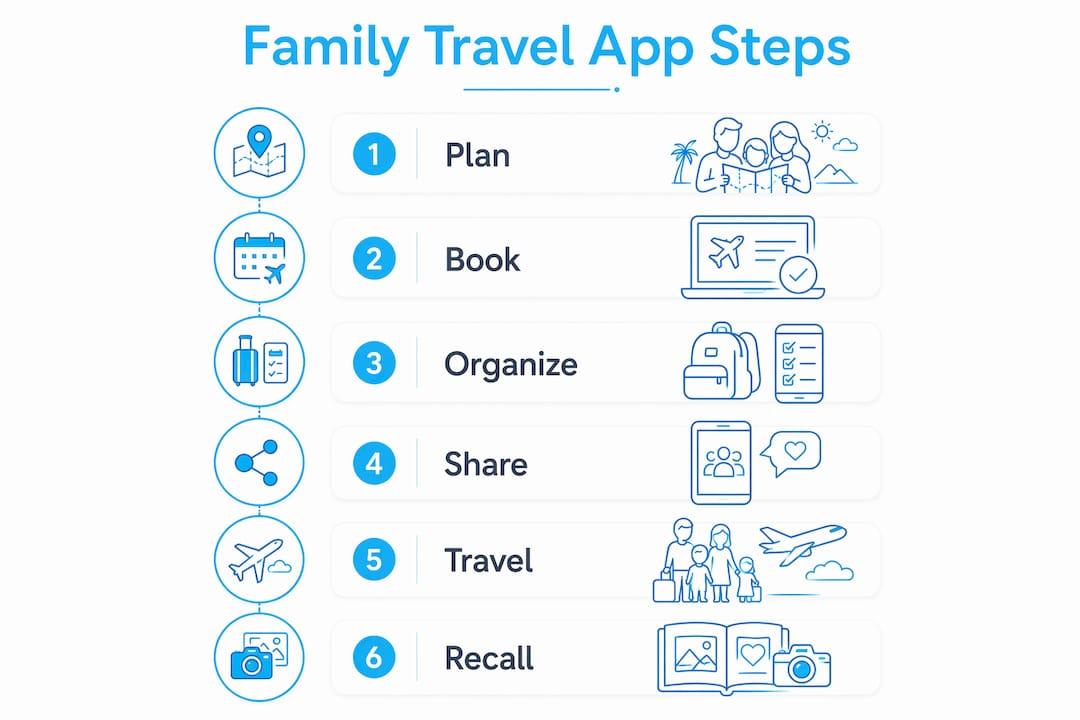
How family travel apps reduce stress and keep everyone on the same page
The core benefit is simple: one place replaces everything. No more forwarding confirmation emails, screenshotting hotel addresses, or maintaining a master spreadsheet only one parent can edit.

Family travel advisor Megan Condello puts it plainly:
That framing holds up. The most useful tools pick up after booking, focusing on prep tasks, checklists, and day-of coordination rather than destination discovery. Parents stop being the single point of failure for trip information.
Concrete benefits families notice first:
- Fewer duplicate messages asking “what time does the flight leave?”
- Shared packing responsibilities distributed across adults
- Realistic day pacing with rest built in, especially with young kids
- Missed booking windows caught by timeline reminders, not panic
What does a family travel app actually do before, during, and after a trip?
Think of it as a project-management layer that activates the moment you confirm your bookings. Here’s how the workflow breaks down across three stages:
| Stage | What you’re doing | Key app features |
|---|---|---|
| Before the trip | Add travelers, check school breaks, build packing lists, import confirmations | Profiles, calendar sync, document storage, pre-trip checklists |
| During the trip | Follow the daily plan, access offline docs, share maps, find emergency info fast | Shared itinerary, offline access, maps, real-time updates |
| After the trip | Reconcile expenses, track memories, save profile templates for next time | Expense summary, notes/photos, reusable trip templates |
The before-trip phase is where most of the mental load lives. A good app lets you:
- Create the trip and add all traveler profiles (ages matter for filters and packing lists).
- Import or manually add every confirmation — flights, hotels, car rentals, activities.
- Build a day-by-day plan with realistic timing, including buffer time for kids.
- Assign packing tasks across adults so one person isn’t carrying the whole list.
During the trip, offline access becomes the deciding factor. Local-first storage means your itinerary and documents stay available without mobile data — critical for international travel or spotty connections.
How to pick the right family travel app for your trip
Choose the app that matches your family’s coordination style, privacy comfort, and device mix. Everything else is secondary.
Evaluation checklist:
- Does it support link-based sharing so other households can join without creating accounts?
- Does it work offline, and where does it store your data (local vs. cloud)?
- Can it handle multi-household coordination, not just one family unit?
- Does it include packing-list intelligence (age filters, task splitting)?
- How does it track budget — cash only, or points and credits too?
- Can you export a PDF or share a read-only version before travel?
- Is it available on both iOS and Android across your group?
Questions to ask before you install:
- Who owns your data, and can you delete it completely?
- What happens to stored passport photos if you cancel your account?
- Does offline mode require a paid tier?
- Are there hidden fees after the free trial ends?
Red flags to watch for:
- Every participant must create a full account just to view the itinerary
- No offline mode at all, or offline access locked behind a paywall
- Vague data-ownership language in the privacy policy
- Free tier that hides core features like document storage or budget tracking
On pricing: most apps offer a free tier covering basic itinerary building, a subscription (typically monthly or annual) for collaboration and offline features, and occasionally a one-time purchase model. Budget tracking and multi-household support are the features most commonly gated behind paid plans.
What families should check about data, documents, and sharing
Storing passport photos and boarding passes in an app is convenient — and a real security consideration. Start by checking where your data actually lives.
Security checklist:
- Does the app offer local-first or offline storage, or is everything cloud-only?
- Is data encrypted in transit and at rest?
- Can you control sharing via link (view-only) vs. full account access?
- Is two-factor authentication available for your account?
- How does the app handle imported PDFs and passport images — do they sync to third-party servers?
Offline and local-first storage reduces your exposure significantly, especially for sensitive documents. Apps that push everything to a cloud server by default give you less control over who can access that data.
Simple steps to reduce exposure:
- Keep passport photos and sensitive documents in a private (non-shared) section of the app
- Use link-based invites for other households rather than full account access
- Export a PDF copy of your itinerary and documents to your own device before departure
Pro Tip: Never store the only copy of a critical document in any single app. Export to your phone’s local storage and email yourself a backup before every international trip.
A quick 7-step setup to try a family travel app on your next trip
You can have a working shared plan in under 20 minutes. Here’s the sequence:
- Install the app on your primary device (iOS or Android).
- Create your trip — add destination, dates, and check against school-break calendars.
- Add traveler profiles with ages so packing lists and activity filters calibrate correctly.
- Import confirmations — forward booking emails or manually add flights, hotels, and activities.
- Build a basic day-by-day plan with realistic timing, including meals and rest.
- Invite other households using a secure link — link-based sharing avoids forcing every participant to sign up.
- Enable offline storage and export a PDF backup before you leave home.
Pro Tip: When inviting other households, send a link with view-only access first. Let them upgrade to contributor access only if they want to add or edit items. It keeps the plan clean and reduces conflicting edits.
Which app categories do families actually use, and when?
There are four distinct categories of apps families reach for, and each fits a different trip type.
- Planner/project apps work best for families who want deep pre-trip prep: detailed checklists, task assignments, and timeline reminders. Good for long international trips where preparation matters most.
- Itinerary/confirmation aggregators pull in booking emails and store confirmations in one place. Best for families who book across multiple platforms and want everything in one view.
- AI itinerary builders generate age-appropriate day plans and balance rest vs. activities across budget tiers in under 60 seconds. Best for short family weekends when you need a fast starting point, not a custom plan.
- Multi-family group coordinators handle RSVPs, shared costs, and multi-household joining via secure links without forcing full account creation. Built for multi-family vacations where coordination complexity is the main challenge.
| App category | Best for | Typical platform support | Offline behavior |
|---|---|---|---|
| Planner/project app | Long trips, deep prep | iOS, Android, web | Usually strong |
| Confirmation aggregator | Multi-platform bookers | iOS, Android | Varies |
| AI itinerary builder | Fast planning, short trips | iOS, Android, web | Limited |
| Multi-family coordinator | Group/multi-household trips | iOS, Android | Varies |
For child-friendly activity planning, age-suitability filters matter more than any other single feature — especially when coordinating activities across different age groups in the same trip.
Key Takeaways
A family travel app works because it centralizes shared logistics, reduces mental load, and keeps every traveler on the same plan — before, during, and after the trip.
| Point | Details |
|---|---|
| Central travel brain | One app replaces email threads, screenshots, and spreadsheets for the whole group. |
| Offline access matters | Test airplane mode at home; local-first storage is critical for international travel. |
| Link-based sharing | Invite other households via secure link to avoid forcing full account sign-ups. |
| Privacy check first | Confirm data ownership, encryption, and document-storage policies before uploading passports. |
| Pair with Pilottraveldeals | Use a planning app for coordination and Pilottraveldeals for flights, hotels, and group booking discounts. |
The part most families skip — and why it costs them
Most families download a planning app, add their flights, and call it done. That’s using maybe 20% of what these tools can do. The real value kicks in when you distribute the mental load: assign packing tasks to a second adult, give grandparents view-only access so they stop texting for the hotel address, and build in buffer time on the itinerary so the day doesn’t collapse when a toddler needs an unscheduled nap.
The “central travel brain” framing Megan Condello uses is accurate, but it only works if more than one person is actually using it. An app that only one parent checks is just a fancier spreadsheet. The families who get the most out of these tools are the ones who spend ten minutes before the trip walking every adult through the shared plan — not just sending a link and hoping for the best.
One more thing worth saying: privacy concerns about storing passport photos are legitimate, but the risk of not having offline access to those documents at a foreign airport is usually higher. The practical answer is to use local-first storage, keep sensitive docs in a private section, and export a backup. That combination gives you the convenience without the exposure.
Pilottraveldeals pairs with your planning app for bookings and extras
Once your family’s shared itinerary is set, the next step is locking in the best rates on the pieces that cost the most. Pilottraveldeals compares flights, hotels, SIM cards, and bike rentals across multiple providers — so you’re not manually checking five sites while managing a group chat. For multi-family trips especially, the group booking discounts page is worth checking before you book anything separately. International families should also grab a travel SIM card through Pilottraveldeals before departure — it’s one less thing to sort out at the airport, and it keeps the whole group connected without roaming charges eating into the trip budget.
Check hotel deals on Pilottraveldeals and compare rates for your next family trip.
Useful sources and further reading
- Pilot Family Trip Planner — shared itinerary and map tool
- FamGo Family Trip Planner — offline-first packing lists and cruise planning
- Travel Keeper — loyalty info, passport sync, and the “central travel brain” concept
- FamilyTrips — multi-family and group trip coordination
- MonkeyTravel AI Planner — AI-generated age-appropriate itineraries
- Famila.travel — expert notes on mental-load reduction features
Before relying on any app overseas: pick a short local trip first and test its offline behavior completely in airplane mode. What you discover at home is far less stressful than what you discover at a foreign airport.