
TL;DR:
- A trip itinerary is a detailed daily plan combining fixed logistics with organized activities to maximize time and minimize stress. Organizing activities by neighborhood and including buffer and open time blocks ensures a realistic, flexible schedule that adapts to unexpected changes. Using editable templates and anchoring confirmed reservations creates a reliable foundation for a well-balanced and enjoyable travel experience.
A trip itinerary is defined as a day-by-day travel plan that combines fixed logistics like flights and accommodation with organized daily activities to maximize your time and reduce on-the-ground stress. Every strong example of a trip itinerary follows the same core structure: a header with destination and dates, confirmed transport details, lodging addresses, and a sequenced activity plan for each day. Tools like mdkit’s travel template, Canva, and Traveling Tessie’s planning framework each approach this structure differently, but all share the same goal. A well-built travel itinerary sample turns a vague trip idea into a reliable, repeatable schedule you can actually follow.
What does a well-structured trip itinerary include?
The standard industry term for what most travelers call a “trip itinerary” is a travel itinerary, and it functions as the operational backbone of any trip. Understanding its components is the fastest way to build one that actually works.
Every solid travel itinerary sample contains these core elements:
- Trip header: Destination name, total duration, and travel dates at the top of the document for instant reference.
- Flight details: Airline, flight number, departure and arrival times, and airport codes. Include both outbound and return legs.
- Accommodation: Hotel or rental name, full address, check-in and check-out times, and confirmation number.
- Day-by-day activity plan: Each day listed separately with a sequence of activities, grouped by area or time block.
- Transport notes: How you get between locations each day, whether by metro, rental car, or taxi.
- Optional fields: Meal reservations, estimated costs, and notes on opening hours or ticket booking requirements.
The mdkit travel itinerary template structures all of these fields in a checklist format, which makes it easy to track what is confirmed versus what is still pending. Checklist formats work better than prose notes because you can scan them in seconds, especially when you are standing in an airport or trying to find your hotel at midnight. A basic travel itinerary template does not need to be elaborate. It needs to be complete and readable.
How to organize daily activities efficiently
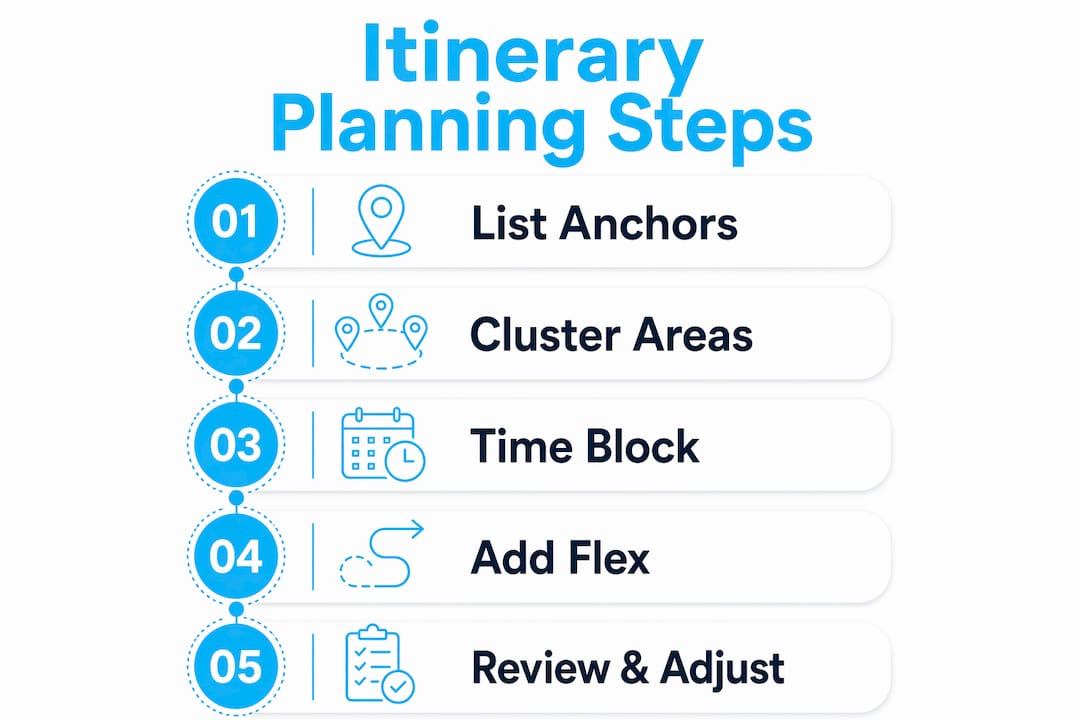
The single biggest time-waster in travel is back-and-forth movement across a city. Visiting a museum on the east side in the morning, then a market on the west side at noon, then a cathedral back on the east side in the afternoon costs you one to two hours of transit time every day. That time adds up fast over a week-long trip.
Grouping activities by neighborhood is the most effective fix. Traveling Tessie’s method involves saving all desired locations in Google Maps first, then zooming out to identify natural geographic clusters. Once you see which attractions sit close together, you assign each cluster to a specific day. The result is a day where you walk between stops rather than commute between them.
Time-block planning works hand-in-hand with area clustering. The Rick Steves Travel Forum template divides each day into AM, PM, and Evening columns, with separate fields for hotels, transport, and activities. This structure forces you to be realistic about how much fits in a morning versus an afternoon. Most travelers overestimate morning capacity and underestimate how long lunch and transit actually take.
Pro Tip: Check weekday-specific museum closures before assigning activities to days. Many major museums in Paris, Rome, and Madrid close on Mondays or Tuesdays. Discovering this after you have built your itinerary means rebuilding entire days.
Here is a practical daily structure that works for most destinations:
- Morning (9am to 12pm): One major attraction or neighborhood walk. This is your highest-energy window.
- Afternoon (1pm to 5pm): Two to three smaller stops in the same area, with a sit-down lunch built in.
- Evening (6pm to 9pm): One dinner reservation or a single evening activity like a show or sunset viewpoint.
How to balance planning and flexibility in your itinerary
The most common mistake in itinerary planning is treating every hour as schedulable. Realistic itineraries are built around anchor activities, not packed schedules.
An anchor activity is any commitment that has a fixed time and cannot move. Flights, hotel check-ins, pre-booked guided tours, and restaurant reservations with a set time are all anchors. Voyaige recommends limiting yourself to one to three anchors per day. Beyond that, you are building a timetable, not an itinerary.
Here is a step-by-step approach to layering a realistic day:
- Place your anchors first. Write down every fixed commitment for the day with its exact time.
- Add 30 to 60 minutes of buffer before and after each anchor. Queues, transit delays, and slow service are predictable.
- Schedule one meal anchor per day. A confirmed dinner reservation gives the day a natural endpoint and prevents the “where do we eat?” spiral at 8pm.
- Fill remaining time with preferred activities. These are things you want to do but can skip or swap without consequence.
- Leave at least one two-hour open block. This is unscheduled time with zero plan. Use it for rest, a spontaneous detour, or a backup activity if something closes unexpectedly.
Pro Tip: Build three types of days into any trip longer than five nights: a full day (two to three anchors, active sightseeing), a medium day (one anchor, relaxed pace), and a rest day (no anchors, pure exploration or downtime). This pacing prevents the exhaustion that makes travelers regret their trips.
Intentional open blocks are where the most memorable spontaneous travel experiences happen. The best meal you eat on a trip is usually one you found by walking past it, not one you booked three weeks in advance.
Example trip itineraries with detailed day-by-day layouts
Seeing a concrete travel itinerary sample is more useful than reading abstract advice. Below is a condensed example of itinerary travel plan structure modeled on the format used by Lonely Planet’s Hawaii 8-day itinerary, which combines guided tours, museum visits, and scheduled leisure time across multiple islands.
| Day | Focus area | Morning | Afternoon | Evening |
|---|---|---|---|---|
| Day 1 | Arrival, Honolulu | Flight arrival, hotel check-in | Waikiki Beach walk, orientation | Dinner at local restaurant |
| Day 2 | Oahu history | Pearl Harbor memorial tour | Bishop Museum | Chinatown food walk |
| Day 3 | North Shore | Haleiwa town, shave ice | Waimea Bay, snorkeling | Sunset at Turtle Bay |
| Day 4 | Big Island travel | Morning flight to Kona | Kealakekua Bay kayak tour | Kona town dinner |
| Day 5 | Volcanoes | Hawaii Volcanoes National Park | Lava viewing, crater hike | Hotel rest day |
| Day 6 | Leisure | Open block, beach or spa | Farmers market | Farewell dinner |
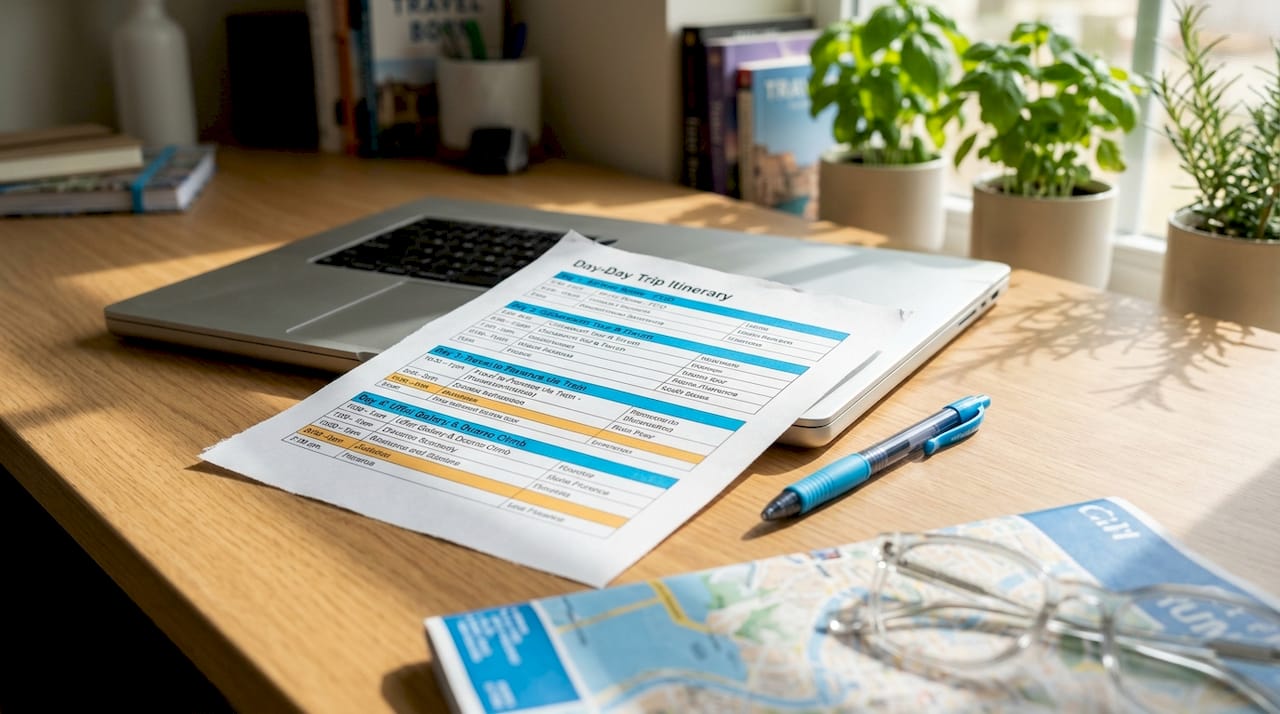
This format works because it separates fixed logistics from flexible activity slots. Days 1 and 4 are anchor-heavy travel days. Days 5 and 6 shift toward medium and rest-day pacing. The structure mirrors what Mak Journal recommends for resilient itinerary building: confirmed transport and check-ins form the skeleton, and preferred activities fill the space around them.
For luxury travel, a Bali itinerary example shows how the same day-by-day table format scales up to include villa names, private transfers, and spa appointments as anchors. The structure is identical. Only the content changes.
What tools and templates make itinerary building faster?
Building an itinerary from scratch takes longer than it should if you start with a blank document. Free and editable templates cut that time significantly.
The most practical options available right now:
- mdkit’s markdown template: Free, plain-text format with fields for flights, accommodation, and daily checklists. Works in any text editor and exports cleanly to PDF.
- Canva travel itinerary templates: Visual, color-coded layouts suited for sharing with travel companions. Editable online with no design experience required.
- Google Sheets or Excel templates: Editable travel itinerary templates with AM/PM/Evening columns, cost tracking fields, and notes sections. Traveling Tessie’s version includes a tab for saved Google Maps locations alongside the day-by-day plan.
- Rick Steves’ forum template: Spreadsheet-based with color-coding for confirmed reservations versus tentative plans. The color-coding system makes it immediately clear what still needs booking.
- Yopki trip planning spreadsheets: Structured to avoid micro-planning by starting with fixed items and layering in flexible plans afterward.
The key difference between a static printed itinerary and an editable travel itinerary template is adaptability. Trips change. Flights get rescheduled. Restaurants close. A digital template you can update in real time is worth more than a beautifully printed document that becomes wrong on day two. For travel itineraries across different budgets, the template structure stays the same. Only the accommodation tier and activity costs shift.
Key takeaways
A well-built trip itinerary places fixed logistics first, clusters activities by neighborhood, and protects at least two hours of unplanned time per day to keep the schedule realistic and enjoyable.
| Point | Details |
|---|---|
| Start with anchors | List confirmed flights, check-ins, and pre-booked tours before adding any other activities. |
| Cluster by neighborhood | Group daily activities by geographic area using Google Maps to cut transit time. |
| Use time blocks | Divide each day into morning, afternoon, and evening slots to stay realistic about capacity. |
| Build in buffer time | Add 30 to 60 minutes around each anchor to absorb delays and queues. |
| Choose editable templates | Use Google Sheets, Canva, or mdkit templates so you can update the plan as conditions change. |
Why the itinerary you build matters more than the one you download
I have planned trips using every format imaginable: handwritten notes, elaborate color-coded spreadsheets, and downloaded PDF templates from travel blogs. The ones that actually worked in the field shared one quality. They were built around what was already confirmed, not around what I hoped to do.
The most common error I see travelers make is building the activity plan first and then trying to fit flights and check-ins around it. That approach collapses the moment a flight runs late or a museum turns out to be closed. Starting with fixed reservations as the skeleton and layering preferred activities around them produces a schedule that bends without breaking.
Area clustering changed how I plan entirely. Before I started using Google Maps to group locations, I was losing an hour or more every day to unnecessary transit. Now I save every location I want to visit before I build a single day, zoom out to see the clusters, and assign whole neighborhoods to specific dates. The itinerary writes itself from there.
The other thing worth saying plainly: over-planning is a real problem, and it is more common among experienced travelers than beginners. The more you know about a destination, the more you want to fit in. Resist that. A flight itinerary sample with two open afternoon blocks will serve you better than one with every hour accounted for. The open blocks are not wasted time. They are where the trip actually happens.
— Asher
Plan your trip with Pilottraveldeals
Once your itinerary structure is in place, the next step is locking in the bookings that become your anchors. Pilottraveldeals compares flights and hotel deals from multiple providers so you can confirm your fixed logistics quickly and at the best available price. Securing accommodation early gives your itinerary a reliable foundation to build around.

Pilottraveldeals also offers travel SIM cards so you stay connected on arrival, which matters when you are navigating a new city with a Google Maps-based itinerary. Start with your dates, search the available deals, and get your anchors confirmed before you plan anything else.
FAQ
What is an example of a trip itinerary?
A trip itinerary example is a day-by-day schedule that lists confirmed flights, accommodation, and a sequenced plan of activities for each day of the trip. The mdkit travel template is a widely used format that includes fields for flight details, hotel addresses, and daily sightseeing checklists.
How many activities should I plan per day?
Most travel experts recommend one to three anchor activities per day, with at least one two-hour open block left unscheduled. Voyaige’s planning framework specifically advises against filling every hour to reduce fatigue and improve overall enjoyment.
What is the best free travel itinerary planner template?
Google Sheets and Canva both offer free editable travel itinerary templates with AM/PM/Evening time blocks, cost tracking, and notes fields. The Rick Steves Travel Forum template adds color-coding for confirmed versus tentative reservations, which makes it especially useful for complex multi-destination trips.
Should I organize my itinerary by time or by neighborhood?
Organizing by neighborhood first, then assigning time blocks within each day, produces the most efficient itinerary. Traveling Tessie’s method of saving all locations in Google Maps and clustering by area before building the day-by-day plan reduces transit time and prevents back-and-forth movement across a city.
How do I make my itinerary flexible without losing structure?
The tiered structure recommended by Mak Journal works well: place confirmed anchors first, then add preferred activities, then list backup options for each day. This approach keeps the schedule intact when conditions change while still giving you clear direction for every part of the trip.
Recommended
- What is a travel itinerary? Smart trip planning guide – PilotTravelDeals.com
- Flight Itinerary Sample: Plan Any Trip with Ease – PilotTravelDeals.com
- Travel itineraries for every budget: real examples & tips – PilotTravelDeals.com
- Travel Planner Template: Organize Any Trip with Ease – PilotTravelDeals.com