TL;DR:
- Travelers often overpay for flights and hotels because they fail to use fare comparison tools strategically. Using multiple metasearch engines, filtering by cheapest options, and verifying prices on direct sites can save hundreds of dollars per trip. A consistent search routine that includes flexible dates, price alerts, and direct site checks enhances travel savings and decision confidence.
Most travelers overpay for flights and hotels simply because they don’t know how to use fare comparison tools effectively. You search a few sites, pick the first decent price, and move on. But that “decent price” is often 20 to 40 percent higher than what a more methodical search would have returned. These tools, formally called flight and accommodation metasearch engines, aggregate prices from dozens of sources in seconds. The gap between a casual search and a strategic one is real money. This guide walks you through exactly what to do, step by step, so you stop guessing and start traveling smarter.
Table of Contents
- Key takeaways
- How to use fare comparison tools: what to set up first
- Step-by-step guide to searching flights and hotels
- Common mistakes that cost travelers money
- How to verify and finalize your booking
- My honest take on fare comparison after years of traveling
- Start finding better fares with Pilottraveldeals
- FAQ
Key takeaways
| Point | Details |
|---|---|
| Prepare before you search | Know your flexible dates and budget before opening any comparison tool to get accurate results. |
| Sort by cheapest, not “best” | Default “best” sorting often buries the lowest prices behind sponsored or convenience-weighted results. |
| Use at least two tools | Different sites surface different fares; checking more than one prevents you from missing a better deal. |
| Verify on the direct site | Always confirm your final price on the airline or hotel’s own website before completing a purchase. |
| Book roughly 10 to 11 weeks out | Skyscanner data shows this window typically delivers the lowest domestic and international airfares. |
How to use fare comparison tools: what to set up first
Before you open a single search tab, a little preparation makes every search faster and more accurate.
Know your date flexibility
The single biggest variable in airfare pricing is timing. A Tuesday departure can cost 30 percent less than a Friday on the same route. Before you search, decide whether your dates are fixed or flexible by even a few days. If you can shift travel by two or three days in either direction, you will unlock a much wider range of prices. Write down your preferred travel window and your true deadline. That clarity saves you from clicking around aimlessly.
Set a realistic budget
Pick a number before you search, not after. Without a budget in mind, you end up anchoring to the first price you see, which skews your judgment for everything that follows. Research typical fare ranges for your destination using a quick broad search first, then set your target price below that average. This is how you use comparison tools as a filter rather than a suggestion engine.
Get the right setup
Use a desktop or laptop browser for complex searches. Mobile apps are convenient, but the larger screen lets you see price calendars, fare breakdowns, and filter panels all at once without switching views. Clear your browser cookies or use a private/incognito window. Some fare tools have been observed to raise displayed prices after repeated searches for the same route, though this is debated. Incognito mode removes that variable entirely.
Pro Tip: Before you start comparing, make a simple note with your route, flexible date range, budget ceiling, and one-way versus round-trip preference. Paste it into a notes app. This reference sheet keeps your searches consistent across multiple tools.
Brush up on a few basic terms before you filter. “Nonstop” means zero layovers. “Direct” means one flight number but may still stop. “Basic economy” means no seat selection and often no carry-on bag. Knowing these prevents you from selecting a seemingly cheap fare that turns into an expensive one after fees.
Step-by-step guide to searching flights and hotels
Once you are set up, follow this sequence to get the most from any flight or hotel metasearch engine.
-
Enter your route with nearby airports. On tools like Google Flights, you can enter a city name rather than a specific airport code to include all airports serving that metro. Flying into a secondary airport (think Oakland instead of San Francisco) can save $80 to $150 on popular routes.
-
Switch to the flexible dates view. Most top flight comparison tools have a calendar or grid view that shows prices across a full month. Google Flights calls this the price grid. Skyscanner has a “Whole Month” option. Scan this view first to spot the cheapest day combination before locking in dates.
-
Use the Explore or Anywhere feature for open destinations. If you have flexibility on where you go, open-destination browsing on a map lets you find the cheapest reachable destinations for your dates. This is genuinely one of the most underused features in travel planning.
-
Set price and baggage filters. Filter by number of stops, maximum price, and cabin class. Critically, also filter by included baggage if a checked bag matters to you. A $180 fare with no bag allowance is often more expensive than a $210 fare that includes one checked bag.
-
Read the price calendar and graph. Tools like Google Flights use historical and live data to show price trends and flag when fares are higher or lower than typical. A label that reads “prices are high for these dates” is a signal to either shift your dates or wait.
-
Set a price alert. Once you have a target price, activate tracking. Google Flights alerts notify you by email when the price for your route drops or rises after you log in. Skyscanner offers similar notifications. You stop manually checking every day and let the tool work for you.
-
Shortlist your top three options. Do not book the first result. Open the top three in separate tabs, note the fare class, baggage rules, and change/cancellation policy for each, then compare them side by side.
Here is a quick reference for the most useful features across search types:
| Feature | Best use case | Where to find it |
|---|---|---|
| Price grid or calendar | Finding cheapest date combination | Google Flights, Skyscanner |
| Explore/Anywhere map | Open-destination search | Google Flights, Skyscanner |
| Price alerts | Monitoring fares after initial search | Google Flights, Skyscanner, Kayak |
| Baggage filter | Avoiding hidden fee surprises | Most major comparison tools |
| Price insights label | Deciding whether to book now or wait | Google Flights |
Pro Tip: After setting a price alert, screenshot the fare breakdown on the comparison site including taxes and fees. If the price drops and you book, you have a reference to confirm the final ticket price matches what triggered the alert.
Common mistakes that cost travelers money
Even experienced travelers make avoidable errors on comparison sites. Here is what to watch for:
-
Trusting the “best” sort. Sorting by “best” prioritizes convenience factors like layover time and airline rating, not price. Always switch to “cheapest” first, then apply your own judgment about what trade-offs are worth it.
-
Ignoring sponsored listings. Paid placements appear at the top of many results pages, even when sorted by price. They may cost more. Look for the small “sponsored” or “ad” label and scroll past them to the organic results.
-
Checking only one tool. Using multiple comparison sites is not optional if you want the lowest price. Different metasearch engines have different airline deals and display different fares for the same route on the same day.
-
Forgetting the real total cost. A cheap base fare can balloon after seat fees, baggage fees, and payment processing charges. Always click through to the full breakdown before comparing two fares against each other.
-
Assuming mobile deals are always cheaper. Some apps advertise mobile-exclusive discounts, but these are not always lower than desktop prices for the same itinerary. Check both if you are unsure.
The smartest approach treats comparison sites as the starting point, not the finish line. Real savings come from skillful use of advanced features combined with a direct-site check before you pay.
How to verify and finalize your booking
Finding a great fare is only half the work. Booking it correctly matters just as much.
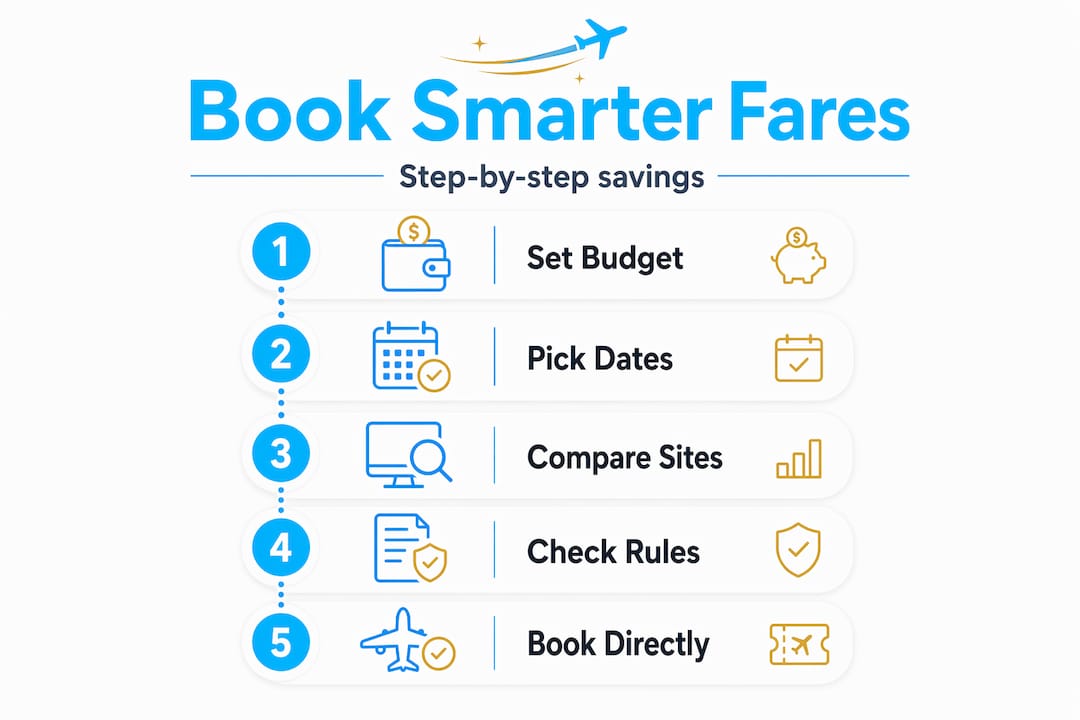
Cross-check on the direct site
Before you pay anything, open the airline’s or hotel’s own website and search the same itinerary. Direct booking sometimes surfaces lower rates or perks like free breakfast or flexible cancellation that the comparison tool did not include. Even a five-minute check here can save you money or add genuine value to the same base price.

Confirm the fare rules
Verify the specific rules for your ticket class: Can you change the date? Is there a fee? Is cancellation possible, and under what conditions? Basic economy fares often have no flexibility at all. Knowing this before you pay prevents an expensive surprise later. This is especially worth reviewing on third-party booking platforms, which sometimes have different refund policies than the airline itself.
| Fare type | Flexibility | Typical baggage | Best for |
|---|---|---|---|
| Basic economy | None | Carry-on only or none | Short trips, no bags |
| Standard economy | Change for fee | One carry-on included | Most leisure trips |
| Flexible economy | Free changes/cancels | One carry-on included | Uncertain itineraries |
| Business class | Full flexibility | Two checked bags | Long-haul, comfort-focused |
Time your purchase strategically
Booking 10 to 11 weeks ahead typically lands you in the lowest-price window for most routes, though August travel tends to be cheapest when booked around 8 weeks out. Use the flight price prediction tools built into comparison platforms to gauge whether your current fare is likely to drop or rise before your target booking date.
Pro Tip: After booking, do not cancel your price alert. If the fare drops significantly after purchase, some airlines and booking platforms offer a credit or fee-free rebooking within a defined window. Knowing the new low price gives you leverage.
My honest take on fare comparison after years of traveling
I’ve watched travelers spend two hours on a single comparison site and come away confident they found the best deal, when they actually missed a cheaper fare by skipping a second tool or ignoring the price calendar entirely. That misplaced confidence is the real risk here.
In my experience, the biggest mistake is treating the first sorted result as the answer. I always sort by cheapest first, scroll past the sponsored listings, and then manually open the top three options in separate tabs to read the actual fare rules. That extra ten minutes has saved me hundreds of dollars over dozens of trips.
I’ve also learned that the direct booking versus third-party question has no universal answer. Sometimes the comparison site has a better price. Sometimes the airline’s site adds a free bag that changes the math entirely. The only reliable approach is to check both, every time, before clicking pay.
My practical advice: build a ten-minute fare search routine and stick to it. Pick two tools you trust, set date flexibility where possible, and always verify on the direct site. You do not need to spend hours on this. You need to be consistent and deliberate. That habit, done repeatedly, compounds into real savings over a year of travel.
— Asher
Start finding better fares with Pilottraveldeals

You now have a solid framework for comparing fares and booking with confidence. Pilottraveldeals takes this process further by aggregating flight deals, hotel offers, and travel services in one place, with savings reaching up to 80% on select options. Whether you are searching for your next flight or looking to lock in a hotel rate, the platform gives you a head start before you run your direct-site check. Explore the advantages of fare comparison to understand what you gain by building this habit into every trip. For flights specifically, the flight comparison strategies guide goes deeper on advanced techniques that go beyond a basic search. You can also browse hotel deals to round out your full trip budget.
FAQ
What are fare comparison tools?
Fare comparison tools, also called metasearch engines, aggregate prices from multiple airlines, hotels, and booking platforms in one search. They let you compare fares side by side without visiting each provider individually.
How do I get the cheapest flight price?
Sort results by “cheapest” rather than “best,” search flexible dates using a price calendar, and check multiple comparison sites to catch fares that may not appear on a single platform.
When is the best time to book a flight?
Booking 10 to 11 weeks before departure typically offers the lowest fares for most routes, though this window varies by destination and travel season.
Should I book through a comparison site or directly with the airline?
Use comparison tools to identify the best fare, then verify the price and conditions on the airline or hotel’s direct website. Direct booking sometimes includes perks or lower prices not shown on third-party platforms.
Do price alerts actually work?
Yes. Setting a price tracking alert on Google Flights or Skyscanner notifies you by email when fares on your route change, removing the need to check manually every day.