
TL;DR:
- Travel maps turn destination wishlists into organized, geographically grouped itineraries that save transit time. Combining digital real-time data with physical maps enhances flexibility, memory, and macro route visualization during travel. Using maps from the start reveals route coherence and cultivates curiosity, ensuring smarter, more memorable trips.
Travel maps are the operational backbone of trip planning, converting abstract destination wishlists into organized, navigable routes. Whether you are plotting a two-week European circuit or a weekend road trip through national parks, the role of travel maps in trip planning determines how efficiently you move, how much you discover, and how little time you waste doubling back. Tools like Google Maps, TripIt Pro, and physical push pin maps each serve distinct functions in this process. The traveler who understands how to combine them plans smarter, spends less, and experiences more.
How do travel maps improve trip planning efficiency?
Most travelers build itineraries as lists. A list of restaurants, a list of museums, a list of neighborhoods. The problem is that lists have no spatial awareness. Cluster blindness from lists causes travelers to miss geographic groupings that maps reveal instantly, wasting 20 to 30 percent of transit time on unnecessary back-and-forth. That is a full day lost on a week-long trip.
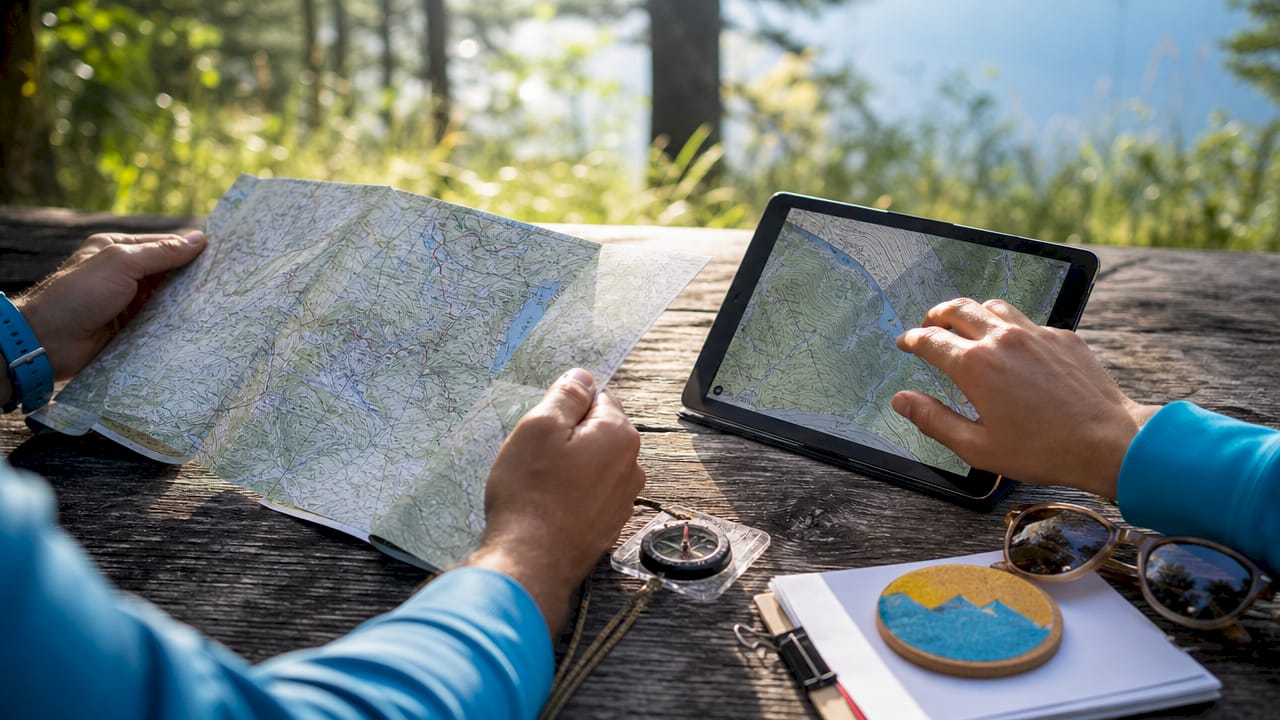
When you plot every destination on a map simultaneously, geographic clusters appear naturally. You realize the Uffizi Gallery, Ponte Vecchio, and the best trattoria you bookmarked are all within a ten-minute walk of each other in Florence. A list would never show you that. Mapping trips from the start solves the classic problem of forgetting multiple attractions in one neighborhood and builds logical daily itineraries around proximity rather than category.
The practical approach is to allocate days by geographic zone, not by attraction type. Pin everything first, then draw loose circles around clusters. Each circle becomes a day. This method also prevents the exhausting mistake of scheduling a morning museum on the north side of a city and an afternoon market on the south side, separated by an hour of transit each way.
- Pin all target destinations before building any schedule
- Identify natural clusters by proximity, not category
- Assign one geographic zone per day to minimize transit
- Leave at least one unscheduled hour per zone for unexpected finds
Pro Tip: Experts recommend mapping only “anchor points” and leaving buffer spaces on your map to avoid over-planning stress and allow spontaneous discovery. Three anchors per day is the practical ceiling for most travelers.
Digital maps vs. physical maps: which works better for travelers?
The answer is both, used deliberately. Interactive digital maps integrate real-time data including traffic, weather, and crowd levels, enabling travelers to adjust daily plans dynamically in ways that static lists or paper maps cannot match. Digital mapping solutions reduce average commute times by 15 to 30 percent through live rerouting in metropolitan areas. That efficiency compounds across a multi-city trip.
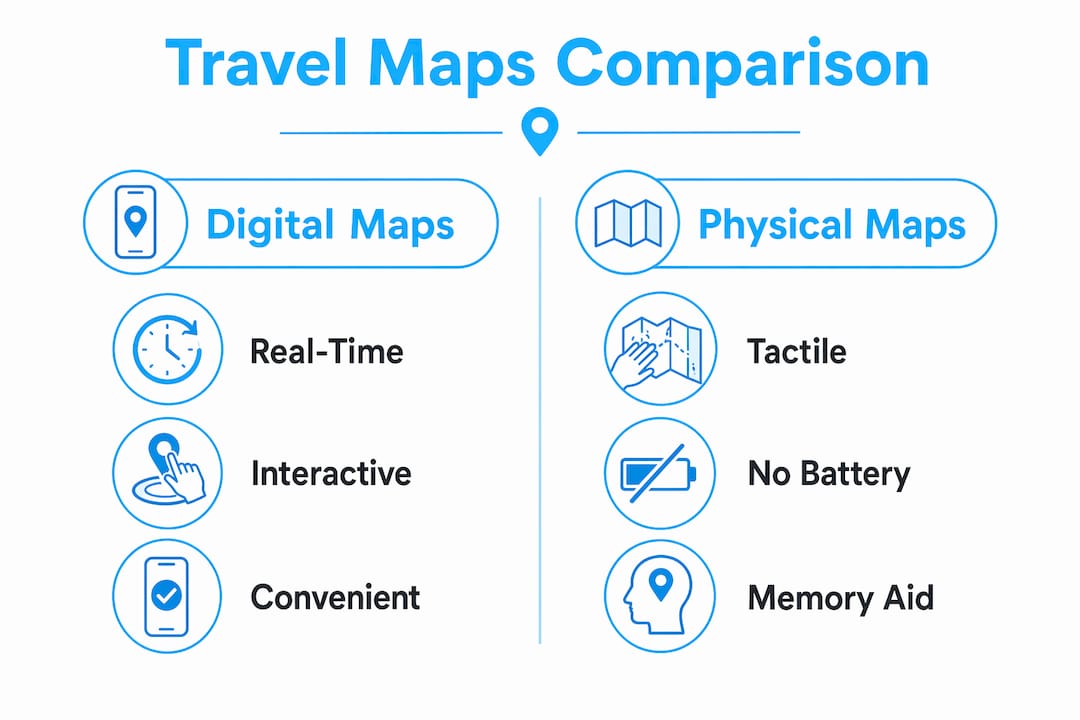
Physical maps offer something different and genuinely irreplaceable. Physical push pin maps improve long-term memory retention and provide a macro view of journeys that no digital archive replicates. Pinning a location on a wall map creates a physical anchor in your daily environment. You see your travel story building over months and years. Digital maps archive; physical maps narrate.
| Format | Strengths | Best use case |
|---|---|---|
| Digital maps (Google Maps, Maps.me) | Real-time updates, offline access, multi-modal transit data | Day-of navigation and logistics |
| Physical maps (push pin, paper) | Memory retention, macro route visualization, no battery required | Pre-trip planning and travel journaling |
| Hybrid approach | Combines logistical precision with cultural richness | Full trip lifecycle from planning to memory |
A hybrid approach combining a broad physical map for conceptual route building and digital tools for real-time logistics optimizes both the planning phase and the on-the-ground experience. Use a large paper map of Japan to plan your Shinkansen route between Tokyo, Kyoto, and Hiroshima. Then switch to Google Maps or Maps.me for street-level navigation once you arrive.
Pro Tip: Digital maps can funnel you toward crowded tourist attractions by default. Annotate your digital map with personal notes and off-the-beaten-path finds before you leave home to counteract the algorithm’s pull toward the obvious.
What features should you look for in digital travel mapping tools?
Not all mapping apps serve travelers equally. The right tool depends on your trip type, connectivity situation, and how deeply you want to customize your itinerary. Here are the four features that separate genuinely useful travel mapping tools from basic navigation apps.
-
Real-time data integration. The best tools pull live traffic, weather alerts, and transit delays into your route. Google Maps does this well for urban environments. For travelers in regions with less reliable data, apps like Maps.me offer detailed offline maps with transit overlays that work without a data connection.
-
Customizable tagging and layered points of interest. Using mapping tools that allow tagging and notes helps travelers remember why a place was pinned, which dramatically improves decision-making during the trip. A pin labeled “best local coffee per Reddit” is far more useful than an unnamed saved location. Google Maps’ custom lists and Wanderlog both support this well.
-
Offline map functionality and route caching. Connectivity gaps are real, especially in rural areas, mountain regions, or countries where your SIM card has limited data. Apps that cache routes and maps locally, including Maps.me and the offline feature in Google Maps, protect your navigation when you need it most. Pair this with a reliable travel SIM card to maintain digital map access across borders.
-
Itinerary integration and sharing. TripIt Pro at $48.99 per year connects flight confirmations, hotel bookings, and mapped destinations into a single itinerary view. The sharing feature is particularly useful for group travel, where everyone needs access to the same plan. Wanderlog and Sygic Travel offer similar integration at lower price points.
How can you use travel maps during your trip for better discovery?
Pre-trip planning is only half the story. The real value of travel maps emerges once you are on the ground and conditions change. A restaurant closes. A festival blocks your planned route. A local recommends a market two streets over. Maps turn these disruptions into opportunities rather than setbacks.
Combining transit data with local attractions and cultural landmarks on layered digital maps helps travelers customize exploration beyond main routes. When you are standing in a neighborhood and your map shows a cluster of bookmarked spots within 400 meters, you make better decisions faster. You are not reactive. You are proactive.
- Use your map’s “nearby” search to surface options you pre-tagged but had not scheduled
- Add new pins in real time when locals or fellow travelers recommend a spot
- Check your map before committing to any transit to confirm you are not passing something worth stopping for
- Use buffer time on your daily plan to follow a map thread without a fixed destination
The annotation habit is particularly powerful. When you add a note to a new pin mid-trip, you build a living document of your actual experience. That annotated map becomes a physical travel journal and memory anchor that outlasts any photo album. Reviewing it after the trip reveals patterns in what you loved, which sharpens how you plan the next one.
For travelers using tailored tour packages, a pre-loaded map from your tour operator gives you a spatial framework before you even land. You arrive knowing where your accommodations, activities, and transport hubs sit relative to each other, which eliminates the disorientation that costs most travelers their first half-day.
Key takeaways
Travel maps are the single most effective tool for converting a destination wishlist into a time-efficient, discovery-rich itinerary, and the combination of digital and physical formats delivers results that neither achieves alone.
| Point | Details |
|---|---|
| Map before you list | Plotting destinations visually reveals geographic clusters that save 20 to 30 percent of transit time. |
| Use anchor points only | Map three key stops per day and leave buffer time to reduce over-planning stress. |
| Combine digital and physical | Use physical maps for macro planning and digital tools like Google Maps for real-time navigation. |
| Tag and annotate everything | Notes on pins improve in-trip decision-making and create a lasting travel record. |
| Offline access is non-negotiable | Cache routes and carry a travel SIM to maintain map access in low-connectivity areas. |
Why I think most travelers are using maps backwards
Most people treat a travel map as the last step before departure, a final check that everything is in order. That is the wrong sequence entirely. The map should be the first tool you open, before you book a single hotel or flight. When I started mapping destinations before committing to any bookings, my entire approach to efficient trip planning changed.
Here is what I have found: the map reveals whether your itinerary is physically coherent. I once planned a four-city trip in Southeast Asia that looked perfectly logical as a list. On the map, it was a triangle that required doubling back 600 kilometers. Catching that before booking saved me two days of transit and a significant amount in airfare.
The other thing most articles will not tell you is that digital maps carry a hidden bias. They optimize for popular, well-reviewed locations. If you rely entirely on Google Maps suggestions, you will eat at the same restaurants as every other tourist on the street. The physical map, or a heavily annotated personal digital map, forces you to make intentional choices rather than algorithmic ones. That distinction is the difference between a trip you remember and one that blurs into a sequence of queues.
Maps also cultivate a different mindset. When you know your geographic context, you stop rushing between checkboxes and start moving through a place with genuine curiosity. That shift from reactive to exploratory travel is the real benefit of maps, and no app feature captures it better than the habit of actually looking at where you are.
— Asher
Plan smarter trips with Pilottraveldeals
Your map tells you where to go. Pilottraveldeals helps you get there for less. Once your itinerary takes shape, the next step is locking in accommodations and flights that fit your route without draining your budget.
Pilottraveldeals aggregates deals across flights, hotels, and travel essentials from multiple providers, with savings reaching up to 80 percent. Browse hotel deals aligned to your mapped itinerary, find cheap airfare between your anchor cities, and grab a travel SIM card so your digital maps stay live across every border. Smart map-based planning deserves equally smart booking. Visit Pilottraveldeals to match your route with the best available deals today.
FAQ
What is the role of travel maps in trip planning?
Travel maps convert a list of destinations into a spatially organized itinerary by revealing geographic clusters, reducing transit time, and enabling day-by-day zone planning. They serve as the planning foundation before departure and as a real-time navigation tool during the trip.
Are digital maps better than physical maps for travel?
Neither format is superior on its own. Digital maps like Google Maps provide real-time traffic and transit data, while physical maps improve memory retention and offer a macro view of your full route. A hybrid approach using both delivers the best results.
How do I avoid over-planning when using a travel map?
Map only anchor points, roughly three key destinations per day, and leave buffer time unscheduled. Over-planning detailed hour-by-hour schedules increases travel stress and eliminates the spontaneous discoveries that make trips memorable.
Which apps are best for creating a travel itinerary with maps?
Google Maps, Wanderlog, Maps.me, and TripIt Pro are the most practical options for most travelers. TripIt Pro at $48.99 per year adds itinerary integration with flight and hotel confirmations, making it particularly strong for multi-city trips.
How do travel maps help with on-trip navigation?
Maps with pre-tagged points of interest let you identify nearby options and adjust plans dynamically when conditions change. Annotating new discoveries in real time builds a personal travel record and sharpens planning for future trips.
Recommended
- Travel itineraries for every budget: real examples & tips – PilotTravelDeals.com
- Travel Planner Template: Organize Any Trip with Ease – PilotTravelDeals.com
- 7 Essential Steps for Your Travel Planning Checklist – PilotTravelDeals.com
- How to Plan Affordable Trips: Smart Strategies for Any Traveler – PilotTravelDeals.com